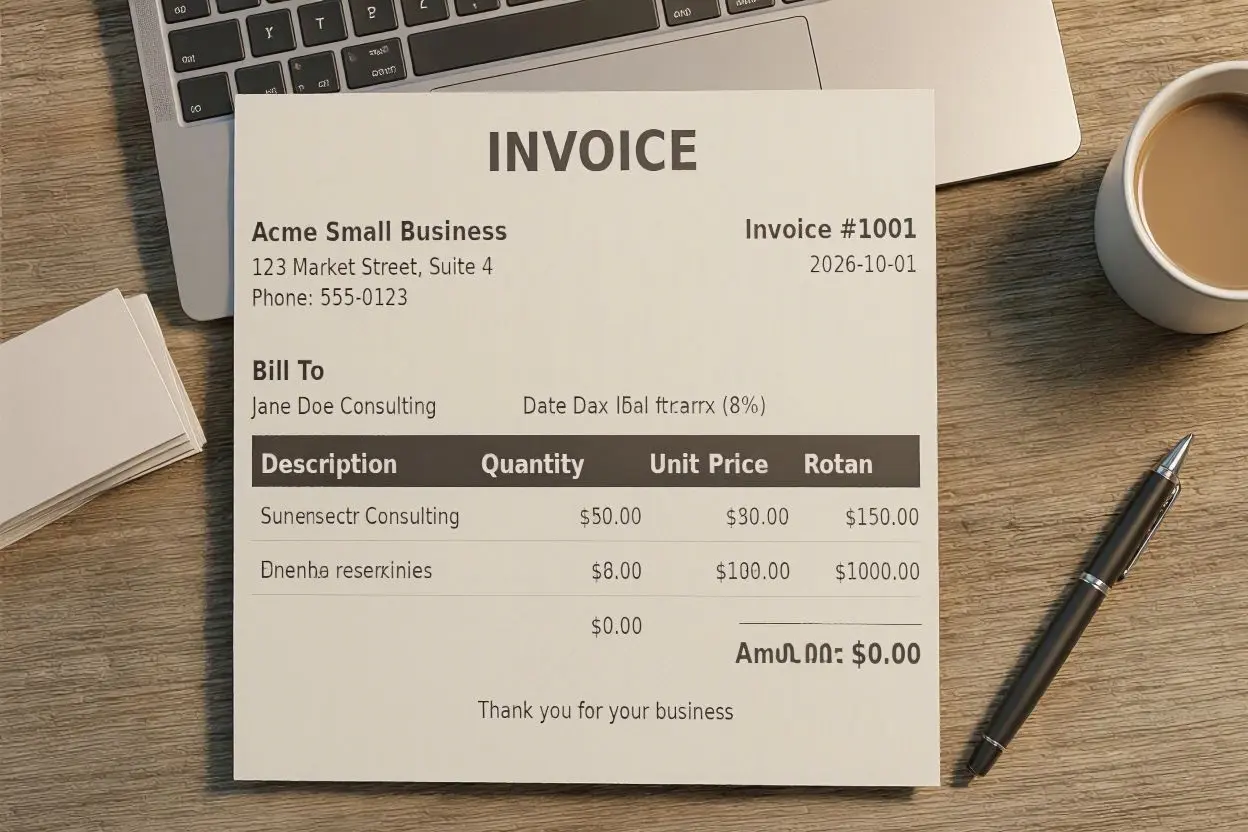
How to Write a Simple Business Invoice for Small Businesses
Running a small business means handling many different tasks, from finding customers to delivering products or services. One important task that should not be overlooked is creating a clear business invoice.
A good invoice helps you tell your customer exactly what they are paying for, how much they owe, and when payment is due. You do not need complicated software or accounting knowledge to create one. A simple invoice can be enough for many small businesses.
In this guide, we will explain how to write a simple business invoice for small businesses, what information to include, and some useful tips for creating professional invoices.
What Is a Business Invoice?
A business invoice is a document that a seller sends to a customer requesting payment for products or services. It normally includes details about the seller, customer, items or services provided, prices, taxes if applicable, and the total amount due.
For a small business, an invoice also provides a useful record of sales and payments. Keeping organized invoices can make it easier to track income and manage business finances.
How to Write a Simple Business Invoice
Creating a simple business invoice does not have to be difficult. You can use a word processor, spreadsheet, invoice template, or accounting software.
Here are the main steps to follow.
1. Add Your Business Information
Start the invoice with your business details. This allows the customer to know who issued the invoice and how to contact you.
Include information such as:
- Business name
- Business address
- Phone number
- Email address
- Website, if applicable
- Business registration or tax information when required
You can also add your business logo to make the invoice look more professional.
2. Add the Customer’s Details
Next, include the information of the person or business receiving the invoice.
Depending on your type of business, you may include:
- Customer name
- Company name
- Billing address
- Email address
- Phone number
Make sure these details are accurate, especially if you are invoicing another business.
3. Give the Invoice a Clear Number
Every invoice should have a unique invoice number. This makes it easier to find and organize invoices later.
For example, you could use numbers such as:
- INV-001
- INV-002
- INV-003
You can continue the sequence as you create new invoices. If your business sends many invoices, a consistent numbering system can save time when looking for a particular payment record.
4. Include the Invoice Date and Due Date
Add the date when the invoice was created. You should also clearly state when payment is expected.
For example:
Invoice Date: October 1, 2026
Due Date: October 15, 2026
A clear due date helps prevent confusion and tells the customer when payment should be made.
5. List the Products or Services
This is one of the most important parts of an invoice. Clearly describe what you provided to the customer.
For example:
| Description | Quantity | Price | Total |
|---|---|---|---|
| Website content writing | 5 | $40 | $200 |
| SEO editing | 2 | $30 | $60 |
Avoid using descriptions that are too vague. The customer should be able to understand what each charge represents.
6. Calculate the Subtotal
Add the prices of all products or services to calculate the subtotal.
For example, if your services cost $200 and $60, your subtotal would be $260.
If you provide a discount, you can show it separately before calculating the final amount.
7. Add Taxes or Other Charges
If your business is required to charge sales tax, VAT, or another applicable tax, include it separately on the invoice.
You may also need to include delivery fees, service charges, or other agreed costs.
The exact tax requirements depend on your location and business situation, so check the rules that apply to your business.
8. Show the Total Amount Due
Make the final amount easy to find. You can label it as Total Due, Amount Due, or Balance Due.
For example:
Subtotal: $260
Tax: $26
Total Due: $286
Making the total prominent helps customers quickly understand how much they need to pay.
9. Add Payment Instructions
Tell the customer how they can pay you. Depending on your business, you might accept:
- Bank transfer
- Credit or debit card
- Online payment
- Cash
- Check
- Other payment methods
Include the necessary payment details without making the invoice unnecessarily complicated.
10. Add Payment Terms
Payment terms explain your expectations regarding payment.
For example, you might write:
Payment due within 15 days of the invoice date.
If you require payment immediately, a deposit, or payment before delivery, state this clearly.
Simple Business Invoice Example
A basic small business invoice can look like this:
ABC Creative Services
123 Business Street
Email: hello@example.com
Phone: 000-000-0000
Invoice #: INV-001
Invoice Date: October 1, 2026
Due Date: October 15, 2026
Bill To:
Customer Name
Customer Company
Customer Address
Services Provided
- Content writing — $200
- SEO editing — $60
Subtotal: $260
Tax: $26
Total Due: $286
Payment Terms: Payment is due within 15 days.
Thank you for your business!
This simple format contains the essential information without making the invoice difficult to understand.
Why Small Businesses Need Good Invoices
A well-prepared invoice can make your business look more organized and professional. It also gives both you and your customer a written record of the transaction.
Clear invoices can help with:
- Tracking business income
- Monitoring unpaid invoices
- Keeping financial records organized
- Reducing payment misunderstandings
- Maintaining professional communication
- Preparing information for accounting and tax purposes
For a small business, these benefits can make everyday financial management much easier.
Tips for Creating Professional Invoices
You can improve your invoicing process with a few simple habits.
Keep Your Invoice Design Simple
Your invoice does not need a complicated design. Use clear headings, readable fonts, and enough space between sections.
Double-Check the Details
Before sending an invoice, check the customer name, invoice number, prices, dates, taxes, and total amount.
A small mistake can cause confusion or delay payment.
Send Invoices Promptly
Try to send an invoice soon after completing the work or delivering the product. Waiting too long can make it harder to keep track of payments.
Keep Copies of Your Invoices
Save copies of invoices you send and records of payments you receive. You can organize them by month, customer, or invoice number.
Follow Up on Unpaid Invoices
If a payment becomes overdue, send a polite reminder to the customer. A simple payment reminder can often resolve the issue without creating unnecessary tension.
Can You Create an Invoice Without Accounting Software?
Yes. Small businesses can create invoices using a spreadsheet, word processor, or simple invoice template. Accounting software can be useful when your business grows and you need additional features such as automatic payment tracking, recurring invoices, or financial reports.
The most important thing is that your invoice contains the information your customer needs and meets any applicable legal or tax requirements.
Final Thoughts
Learning how to write a simple business invoice for small businesses is an important part of managing a business. A good invoice does not need to be complicated. It simply needs to clearly explain who is billing the customer, what was provided, how much it costs, and when payment is due.
By using a consistent invoice format, checking your information carefully, and keeping good records, you can make the payment process easier for both your business and your customers.
Frequently Asked Questions
What should a simple business invoice include?
A simple business invoice should generally include your business details, customer information, invoice number, invoice date, due date, description of products or services, prices, taxes or additional charges when applicable, total amount due, and payment instructions.
How do I make an invoice for my small business?
You can make an invoice using a word processor, spreadsheet, invoice template, or accounting software. Add your business and customer details, list the products or services, calculate the total, and include payment terms.
Do small businesses need to number invoices?
Using unique invoice numbers is a good practice because it makes invoices easier to organize, track, and reference when discussing payments with customers.
What is the difference between an invoice and a receipt?
An invoice is generally a request for payment, while a receipt confirms that payment has been received. A customer may receive an invoice before paying and a receipt after payment.
When should a small business send an invoice?
In most cases, an invoice should be sent soon after the product or service has been delivered, based on the payment terms agreed with the customer.
Can I create a business invoice for free?
Yes. You can create a basic business invoice using a spreadsheet or word-processing program. Free invoice templates can also help you create a professional-looking document.
What are payment terms on an invoice?
Payment terms explain when and how the customer should pay. For example, an invoice might state that payment is due within 15 or 30 days.
How can I make my invoice look professional?
Use a clean layout, consistent formatting, clear descriptions, accurate calculations, a unique invoice number, and easy-to-find payment information. Adding your business logo can also give the invoice a professional appearance.