
Laptop Battery Replacement Cost in the UK: 2026 Guide
Laptop Battery Replacement Cost in the UK: 2026 Guide
How much does it cost to replace a laptop battery in the UK? Typically £40-£90 for most Windows laptops at an independent shop, or £100-£150 going through the manufacturer. Apple’s flat-rate battery service is £109-£129 for most MacBooks. Before you pay anything, though, check whether your ‘dying’ battery is actually just a settings problem.
There’s a lot of conflicting advice out there, and some of it is years out of date. Rules change, prices move, and providers quietly rewrite their terms. What follows is current for the UK right now, based on what’s actually on offer and what real customers are paying — not the teaser rates in the adverts. If that’s on your mind too, have a look at our guide to what is the best tablet for reading and browsing under £200 — it pairs naturally with everything below.
How much does it cost to replace a laptop battery in the UK?
Independent repair shops charge £40-£90 including parts and labour for most Dell, HP and Lenovo models — the battery itself is usually £25-£60, with the rest being labour. Turnaround is often same-day, since battery swaps are among the simplest repairs.
Manufacturer service costs more: Apple charges £109 for MacBook Air and £129 for MacBook Pro battery service, Dell and HP quote £80-£150 depending on model. You get genuine parts and keep any remaining warranty intact, but you’ll wait days rather than hours. High-street chains like Timpson’s tech counters sit between the two on price.
Now for the part most guides skip: the practical trade-offs. Worth a read alongside this: our guide to can I use a us-bought phone on a uk network.
DIY: the £25-£50 option
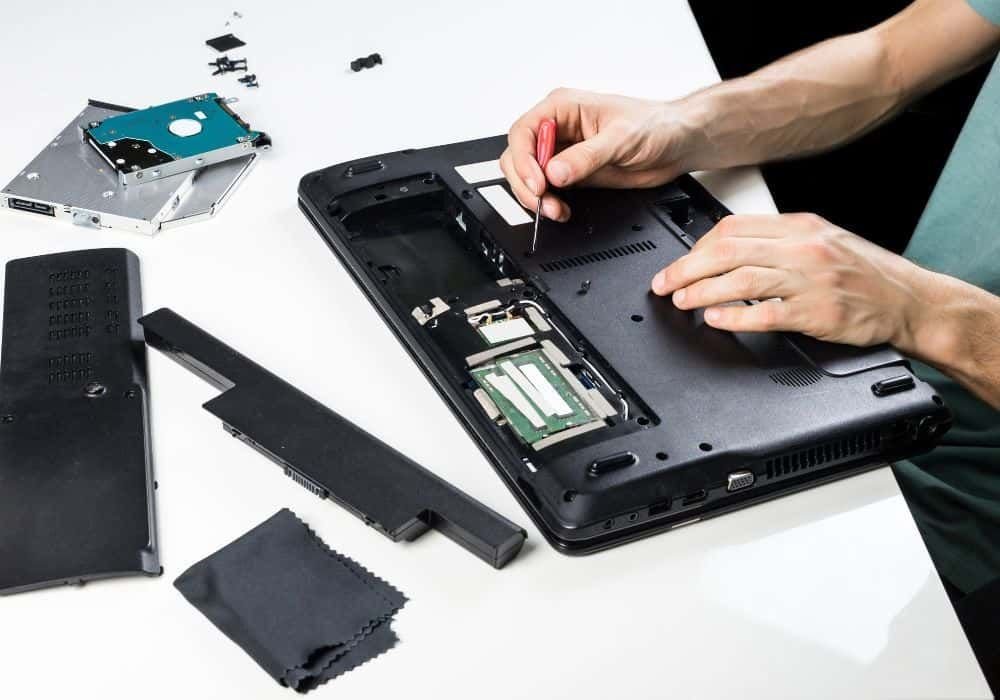
If your laptop has a removable battery (increasingly rare) or an easily accessed internal one, DIY replacement costs just the part: £25-£50 from reputable sellers. iFixit guides cover most popular models step by step, and the tools needed are usually a single screwdriver and a plastic pry tool.
The caveats: glued-in batteries (many ultrabooks, all MacBooks) make DIY risky — puncturing a lithium battery is genuinely dangerous. And cheap no-name batteries from marketplaces can be poor quality or even unsafe; buy from established parts suppliers, not the cheapest listing. If the guide involves heat guns or prying near the battery, pay a professional.
If there’s one mistake I see repeated, it’s rushing this decision on a lunch break and regretting it for eighteen months. Take the extra ten minutes — this section repays it.
Is it worth replacing, or time for a new laptop?
Here’s the short version, so you can scan it fast:
- Worth it: laptop is under 4 years old, still fast enough, and the battery is the only problem. £60 for 2 more years is a bargain.
- Worth it: you like the keyboard, screen and ports — replacing means adapting to something new.
- Not worth it: the laptop is 6+ years old and struggling generally — a new battery won’t fix a slow machine.
- Not worth it: repair costs more than 40% of the laptop’s current value.
- Not worth it: multiple things failing (hinges, keyboard, battery) — that’s a retirement, not a repair.
Making the new battery last
Walk through these in order and you’ll be sorted:
- Use the manufacturer’s battery charge limit (often 80%) if you mostly work plugged in — this dramatically extends lifespan.
- Avoid heat: don’t use the laptop on beds and sofas where vents get blocked.
- Don’t leave it at 0% or 100% for weeks — 40-60% is the happy storage zone.
- Calibrate occasionally: run it down to ~10% then full charge, once every couple of months.
- Keep the OS power management on balanced, not performance, for daily use.
Quick answers
Is the cheapest laptop battery replacement option ever the right choice?
Sometimes — but rarely for the reasons people think. The cheapest laptop battery replacement option works fine when your needs are simple and the product is basically a commodity. It falls apart when reliability, support or longevity matter. Ask yourself one question: what’s the cost if this goes wrong? If the answer is ‘a bad afternoon’, go cheap and cheerful. If it’s ‘hundreds of pounds or weeks of hassle’, pay the middle price and sleep well.
Can I handle laptop battery replacement myself, or do I need professional help?
It depends on complexity and stakes. Straightforward laptop battery replacement tasks are well within DIY territory with a decent guide — most people manage fine and save a packet. But when money, legal compliance or safety are involved, professional help pays for itself quickly. My rule of thumb: DIY when the worst case is a wasted afternoon; call in a pro when the worst case is wasted money or a legal headache.
How long does sorting out laptop battery replacement usually take?
Less time than you’re probably imagining. The research takes an evening, the decision takes a day of mulling over, and the actual doing is usually under two hours. What stretches it into weeks is dithering — half-decided, tab-hoarding limbo. Pick a deadline, gather the facts from this guide, make the call, and move on. Done beats perfect here, every single time.
Pro tip: whatever you decide about laptop battery replacement, set a calendar reminder to review it in a year’s time. Prices, products and your own needs all shift — the people who get the best value long-term are the ones who revisit decisions, not the ones who choose perfectly on day one.
So, what’s the verdict?
£40-£90 independent, £100-£150 manufacturer, £25-£50 DIY for easy models. Worth doing if the laptop is otherwise healthy and under 5 years old — a fresh battery genuinely makes an old laptop feel new again.
Nobody else is going to sort this for you, and honestly it doesn’t take long once you know what you’re looking at. Pick the option that fits, set a reminder to review it in a year, and get on with your life. Final thought: the market rewards people who shop around and punishes people who don’t. You’re now in the first group. For the official word, see Apple Mac battery service UK. iFixit laptop repair guides is also worth a look for independent comparisons. And if you’re still weighing things up, our guide to how do I recycle old electronics in the uk covers the next question most people ask.
One thought on “Laptop Battery Replacement Cost in the UK: 2026 Guide”