
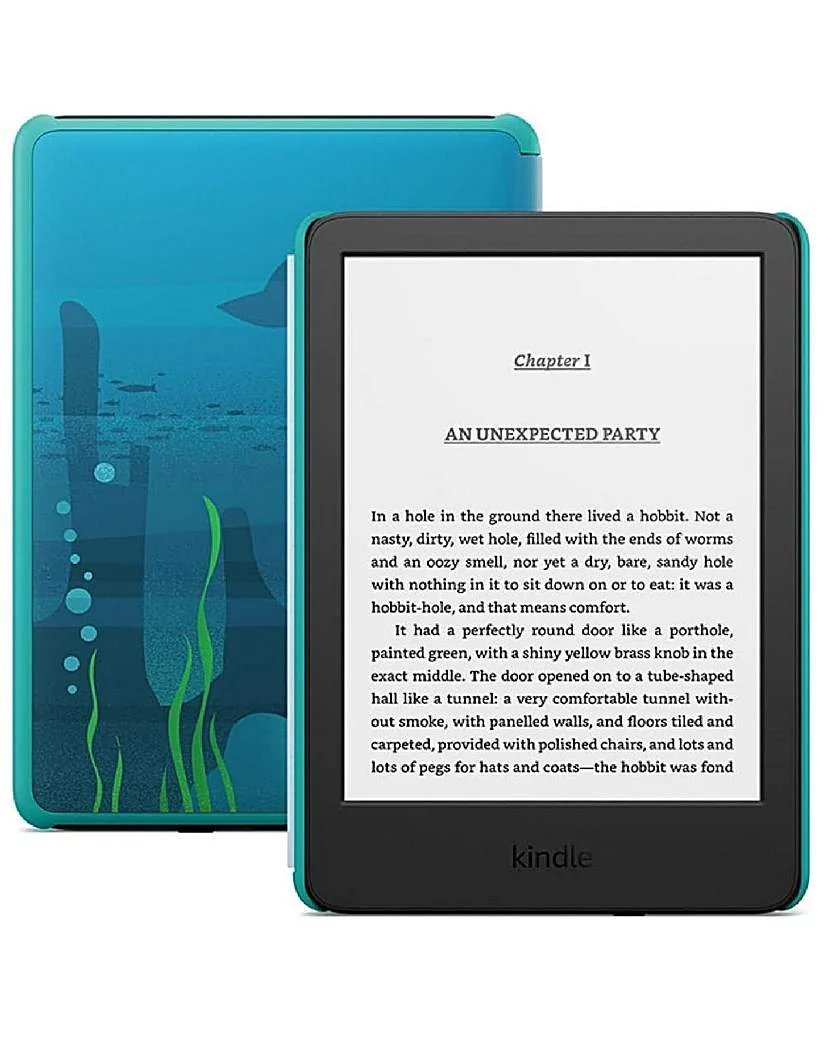
Kindle Prices UK 2026: Which Model Is Worth It?
Kindle Prices UK 2026: Which Model Is Worth It?
How much does a Kindle cost in the UK and is it worth it? The standard Kindle is £85, the Paperwhite £150, and the Scribe £280 — and for anyone who reads more than a book a month, the answer is a resounding yes. I’ve read hundreds of books on Kindles over the years, and the reading experience still beats phones and tablets by a mile.
It’s one of those questions that sounds simple until you start digging. Ask three people and you’ll get four different answers — usually because everyone’s situation is slightly different. I’ve pulled together the practical detail below so you can make a decision without spending your whole weekend on comparison sites. If that’s on your mind too, have a look at our guide to is cloud storage worth paying for in the uk — it pairs naturally with everything below.
How much does a kindle cost in the uk and is it worth it? The models
If you only read one list today, make it this one:
- Kindle (£85): 6-inch screen, front light, weeks of battery. Does the core job brilliantly — reading books. The best value e-reader on sale.
- Kindle Paperwhite (£150): 6.8-inch screen, waterproof, warm light for night reading. The sweet spot and my default recommendation.
- Kindle Paperwhite Signature (£180): adds wireless charging and auto-adjusting light. Nice, not necessary.
- Kindle Scribe (£280): 10.2-inch with stylus for notes and PDFs. Only worth it if you’ll actually annotate.
- Kindle Unlimited (£9.49/month): the subscription — great for voracious readers of included titles, unnecessary for most.
Still with me? Good, because this next bit is where people usually go wrong. Worth a read alongside this: our guide to what is the best budget smartwatch for android users in the uk.
Why e-ink beats phones and tablets for books
E-ink screens reflect light like paper instead of shining it at your eyes — you can read for hours without the eye strain and headaches backlit screens cause. Battery life is measured in weeks, not hours. And crucially, a Kindle does one thing: there’s no Twitter notification pulling you out of chapter twelve.
The waterproofing on the Paperwhite is underrated too — reading in the bath without anxiety is a genuine quality-of-life feature. I’ve dropped mine in the bath; it shrugged. Try that with an iPad.
One thing I’ve noticed over the years: the people who are happiest with their choice are the ones who matched it to how they actually live, not to some idealised version of their habits. Be honest with yourself here and you’ll choose better.
The real cost: books, not the device
Here’s the maths that matters: the device pays for itself fast because Kindle books are cheap. Daily deals (£0.99-£2.99), monthly deals, and library lending via OverDrive/Libby (free with most UK library cards!) mean heavy readers save £50-£100 a year versus paperbacks. Read 15 books a year and the Kindle is profitable by year two.
The trap is buying books you’ll never read because they’re 99p. A Kindle full of unread bargains is just a more portable version of the same problem. Use library lending and samples liberally — try before you buy applies to books too.
Who shouldn’t buy one
Skip the Kindle if you mainly read magazines, comics, textbooks with colour diagrams, or PDFs — e-ink handles all of these poorly, and a cheap tablet serves you better. Also skip it if you read fewer than six books a year; at that rate, just use the Kindle app on your phone for free.
And if you’re choosing between a Kindle and a Kobo: Kobos are excellent (better library integration, more open formats), but Amazon’s ecosystem, Whispersync and sheer book selection keep the Kindle ahead for most UK buyers. Either is a good choice — the important thing is getting an e-ink device, not which logo is on it.
Quick answers
Can I handle Kindle e-readers myself, or do I need professional help?
It depends on complexity and stakes. Straightforward Kindle e-readers tasks are well within DIY territory with a decent guide — most people manage fine and save a packet. But when money, legal compliance or safety are involved, professional help pays for itself quickly. My rule of thumb: DIY when the worst case is a wasted afternoon; call in a pro when the worst case is wasted money or a legal headache.
Is the cheapest Kindle e-readers option ever the right choice?
Sometimes — but rarely for the reasons people think. The cheapest Kindle e-readers option works fine when your needs are simple and the product is basically a commodity. It falls apart when reliability, support or longevity matter. Ask yourself one question: what’s the cost if this goes wrong? If the answer is ‘a bad afternoon’, go cheap and cheerful. If it’s ‘hundreds of pounds or weeks of hassle’, pay the middle price and sleep well.
What should I do first if I’m completely new to Kindle e-readers?
Start with the free, reversible steps: research, compare, and get your facts straight before spending a penny or signing anything. Make a shortlist of two or three options, check recent reviews — and read the one-star ones, not just the average — and talk to someone who’s done it before you. Ten minutes of asking around beats ten hours of guessing, and it costs nothing.
Pro tip: when you’re comparing Kindle e-readers options, ignore the headline claims and read the worst-case reviews instead. How a company handles problems tells you far more than any advert — and it’s the problems you’ll remember, not the smooth months.
My honest take
Paperwhite (£150) for most readers, standard Kindle (£85) on a budget, Scribe only for note-takers. Worth it if you read 6+ books a year — pair it with library lending and it pays for itself while being kinder on your eyes than any phone.
That’s the full picture as it stands. Markets move and deals change, but the principles above hold — match the choice to your real needs, read the small print, and don’t pay for things you won’t use. Final thought: the market rewards people who shop around and punishes people who don’t. You’re now in the first group. For the official word, see Amazon Kindle UK. Which? best e-readers is also worth a look for independent comparisons. And if you’re still weighing things up, our guide to how do I free up storage on an iphone without deleting photos covers the next question most people ask.