
How to Connect Your Phone to Car Bluetooth (Any Car)
How to Connect Your Phone to Car Bluetooth (Any Car)
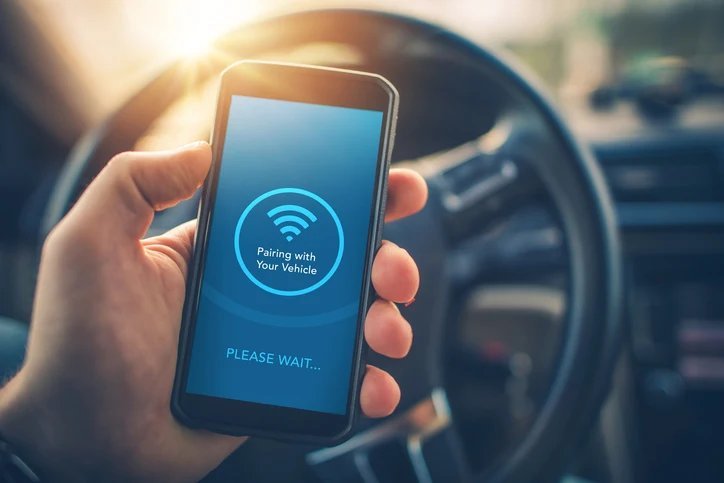
How do I connect my phone to my car Bluetooth? It should take two minutes, but car infotainment systems seem designed by people who’ve never used one. The process is nearly identical across cars — the trick is putting the car in pairing mode first, which is the step the manual buries on page 147.
I’ve spent enough time comparing car Bluetooth pairing across the UK to know the headline figures rarely tell the full story. Prices shift between providers, the small print hides the real cost, and what works brilliantly for a mate in Manchester might be a poor fit for a flat in London. So let’s cut through the noise and look at what actually matters. If that’s on your mind too, have a look at our guide to what is the best dash cam for uk drivers under £100 — it pairs naturally with everything below.
How do I connect my phone to my car Bluetooth? The universal method
Walk through these in order and you’ll be sorted:
- Put the car in pairing mode: on the infotainment screen go to Settings/Bluetooth, or hold the phone button on the steering wheel — look for ‘pair new device’ or similar.
- On your phone: Settings > Bluetooth, make sure it’s on and your phone is discoverable.
- Select the car from the phone’s device list (it’ll show as the car model or something like ‘VW BT 4832’).
- Confirm the PIN: both screens show a code — confirm they match. Some older cars use 0000 or 1234.
- Grant permissions: allow contacts and message access if you want hands-free calling and texts to work properly.
- Test it: play music and make a call before driving off.
Still with me? Good, because this next bit is where people usually go wrong. Worth a read alongside this: our guide to why does my wifi keep dropping and how do I fix it.
When it won’t pair or connect
The key points, stripped of fluff:
- Too many paired devices: cars remember old phones — delete unused pairings from the car’s Bluetooth list.
- Phone already connected elsewhere: disconnect from headphones or smartwatches first; phones juggle one audio connection poorly.
- Forget and re-pair: on both phone and car, ‘forget’ the pairing and start fresh — fixes 80% of issues.
- Software updates: update both the phone OS and the car’s infotainment if updates are available.
- Distance and interference: keep the phone in the cabin, not the boot — Bluetooth range in cars is short.
A quick word from experience: don’t decide on price alone. The cheapest option has a habit of costing more in hassle, and I’ve learned that lesson the expensive way more than once.
Bluetooth vs CarPlay vs Android Auto
Basic Bluetooth gives you calls and music — fine, but it’s 2010 technology. Apple CarPlay and Android Auto (wired or wireless) put a proper interface on your car’s screen with maps, messages and apps. If your car supports them, use them instead: navigation alone is worth it, and wireless versions mean the phone stays in your pocket.
For older cars without any of this, a £25-£40 Bluetooth FM transmitter or aux adapter is the cheap upgrade. They work fine for music and calls — just don’t expect miracles from a £25 gadget, and mount it where you can reach the buttons safely.
Staying legal and safe
The law is clear: it’s illegal to hold a phone while driving, full stop — even at traffic lights. A £200 fine and six points is the penalty, and new drivers can lose their licence. Proper Bluetooth pairing isn’t just convenience, it’s how you stay legal.
Set everything up before you move: pair the phone, queue your playlist or navigation, then put the phone down. If you need to fiddle, pull over. The two minutes of setup in the driveway is what separates safe hands-free use from the dangerous kind.
Quick answers
What should I do first if I’m completely new to car Bluetooth pairing?
Start with the free, reversible steps: research, compare, and get your facts straight before spending a penny or signing anything. Make a shortlist of two or three options, check recent reviews — and read the one-star ones, not just the average — and talk to someone who’s done it before you. Ten minutes of asking around beats ten hours of guessing, and it costs nothing.
How long does sorting out car Bluetooth pairing usually take?
Less time than you’re probably imagining. The research takes an evening, the decision takes a day of mulling over, and the actual doing is usually under two hours. What stretches it into weeks is dithering — half-decided, tab-hoarding limbo. Pick a deadline, gather the facts from this guide, make the call, and move on. Done beats perfect here, every single time.
Can I handle car Bluetooth pairing myself, or do I need professional help?
It depends on complexity and stakes. Straightforward car Bluetooth pairing tasks are well within DIY territory with a decent guide — most people manage fine and save a packet. But when money, legal compliance or safety are involved, professional help pays for itself quickly. My rule of thumb: DIY when the worst case is a wasted afternoon; call in a pro when the worst case is wasted money or a legal headache.
Pro tip: for car Bluetooth pairing, the middle of the market is usually the sweet spot. The cheapest tier cuts the corners you’ll notice every single day; the premium tier charges for bragging rights. Buy the best of the mid-range and you’ll rarely regret it.
The bottom line
Car into pairing mode first, then phone Bluetooth settings, confirm the code, grant permissions — two minutes when you know the order. If your car supports CarPlay or Android Auto, use that instead for a far better experience.
At the end of the day, the right choice is the one that fits your life and your budget — not the one with the flashiest advert. You’ve now got the facts; trust your judgement. Final thought: the market rewards people who shop around and punishes people who don’t. You’re now in the first group. For the official word, see GOV.UK: using mobile phones when driving. Apple CarPlay UK is also worth a look for independent comparisons. And if you’re still weighing things up, our guide to how much does a home security camera system cost in the uk covers the next question most people ask.