
Best Free Antivirus for Windows in 2026: What to Use
Best Free Antivirus for Windows in 2026: What to Use
What is the best free antivirus for Windows in 2026? Here’s the answer most security experts now give: the one already on your PC. Microsoft Defender has quietly become genuinely good — good enough that for most people, installing a third-party free antivirus adds nag screens without adding protection.
I’ve spent enough time comparing free antivirus across the UK to know the headline figures rarely tell the full story. Prices shift between providers, the small print hides the real cost, and what works brilliantly for a mate in Manchester might be a poor fit for a flat in London. So let’s cut through the noise and look at what actually matters. If that’s on your mind too, have a look at our guide to how do I back up my photos without paying for icloud — it pairs naturally with everything below.
What is the best free antivirus for Windows in 2026?
Microsoft Defender scores consistently well in independent lab tests (AV-TEST, SE Labs), catching 99%+ of widespread malware with minimal false positives. It’s built into Windows, updates silently, and — crucially — doesn’t bombard you with upsell pop-ups. For careful users who don’t click dodgy links, it’s genuinely sufficient.
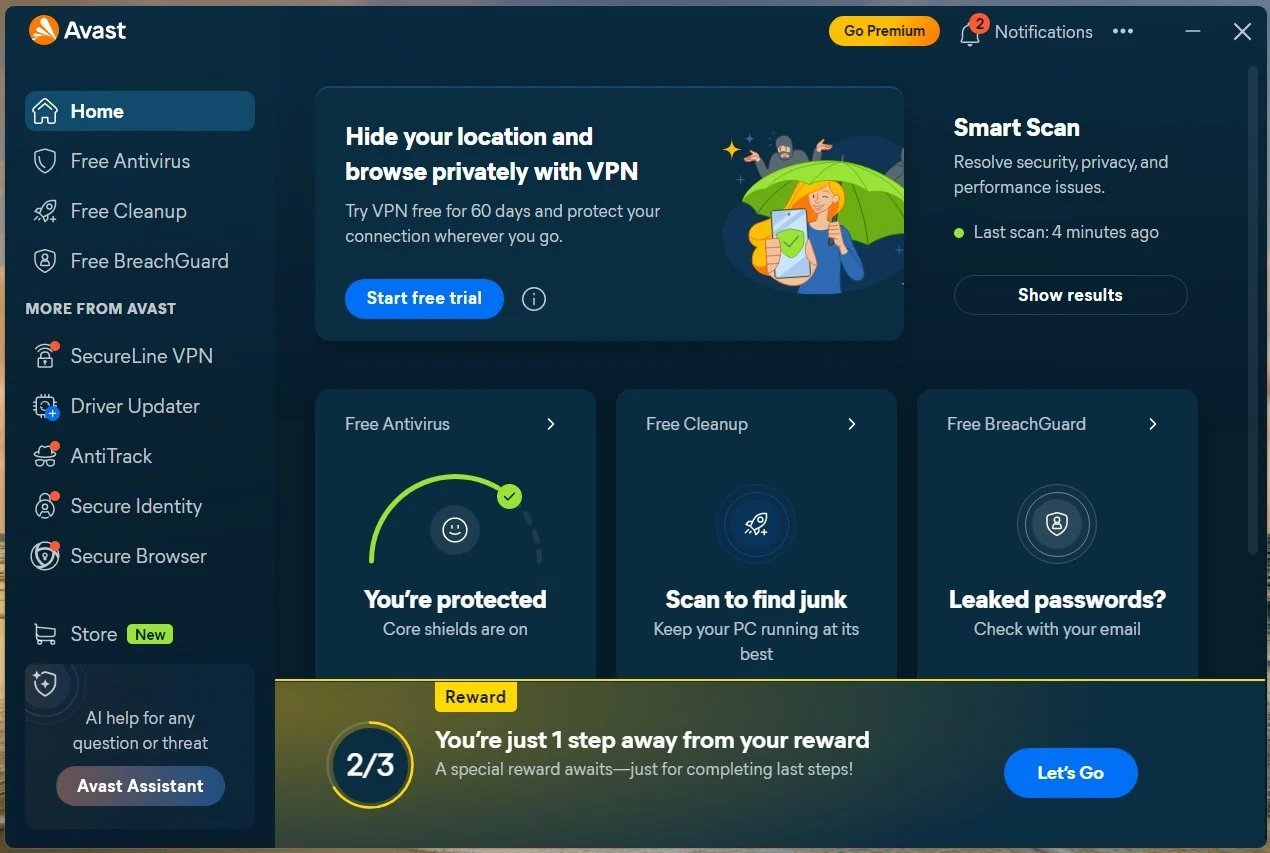
If you want a second opinion or extra features, Bitdefender Free and Avast Free both test well and add nicer interfaces plus extras like network scanning. But be honest with yourself: most people install them, ignore the dashboard forever, and gain nothing over Defender except occasional ‘your PC is at risk!’ scare pop-ups designed to sell the paid version.
Still with me? Good, because this next bit is where people usually go wrong. Worth a read alongside this: our guide to how can I tell if an email is a phishing scam.
What actually keeps you safe (it’s not the antivirus)
If you only read one list today, make it this one:
- Updates: install Windows and browser updates promptly — most infections exploit patched vulnerabilities, not zero-days.
- Phishing awareness: no antivirus reliably stops you voluntarily typing your password into a fake site. This is now the #1 threat.
- Ad blocker: uBlock Origin in your browser blocks malvertising — malicious ads on legitimate sites — which antivirus often misses.
- Backups: ransomware is defeated by backups, not antivirus. An external drive or cloud backup neuters the threat.
- Password manager + 2FA: stops credential theft, which is how most ‘hacks’ actually happen.
If there’s one mistake I see repeated, it’s rushing this decision on a lunch break and regretting it for eighteen months. Take the extra ten minutes — this section repays it.
Free antivirus to avoid
Avoid any antivirus you’ve never heard of, especially ones advertised via pop-ups or YouTube ads — fake antivirus is itself a classic malware vector. Also be wary of ‘free’ tools bundled with toolbars, VPN trials and system optimisers; the bundle is the product, and you’re paying with annoyance at best.
And please, don’t run two real-time antiviruses at once. They fight each other, slow your PC to a crawl, and can each mistake the other for malware. One is enough — pick Defender or one alternative, not both.
When paid antivirus makes sense
Paid suites earn their money for specific situations: kids’ PCs (web filtering and time controls), small businesses (centralised management), or people who know they’re click-happy and want the extra web protection layers. Bitdefender and Norton 360 both offer decent family plans around £30-£50 a year covering multiple devices.
For a single careful adult on Windows? Save your money. Put the £40 toward a password manager subscription and a backup drive — they’ll protect you far more than a shinier antivirus dashboard.
Quick answers
Can I handle free antivirus myself, or do I need professional help?
It depends on complexity and stakes. Straightforward free antivirus tasks are well within DIY territory with a decent guide — most people manage fine and save a packet. But when money, legal compliance or safety are involved, professional help pays for itself quickly. My rule of thumb: DIY when the worst case is a wasted afternoon; call in a pro when the worst case is wasted money or a legal headache.
What should I do first if I’m completely new to free antivirus?
Start with the free, reversible steps: research, compare, and get your facts straight before spending a penny or signing anything. Make a shortlist of two or three options, check recent reviews — and read the one-star ones, not just the average — and talk to someone who’s done it before you. Ten minutes of asking around beats ten hours of guessing, and it costs nothing.
How much should I realistically budget for free antivirus?
More than the headline price, less than the premium option. A sensible budget for free antivirus sits in the middle of the market — enough to avoid the cut corners of the cheapest tier, without paying for features you’ll never touch. Add 15-20% contingency for the extras nobody mentions upfront, and you’ll land about right. The people who blow the budget are the ones who budgeted for the advert price instead of the real one.
Pro tip: whatever you decide about free antivirus, set a calendar reminder to review it in a year’s time. Prices, products and your own needs all shift — the people who get the best value long-term are the ones who revisit decisions, not the ones who choose perfectly on day one.
What I’d actually do
Microsoft Defender is the best free antivirus for most Windows users in 2026 — it’s built in, tests well, and doesn’t nag. Spend your security budget on updates, backups and a password manager instead; that’s where real protection lives.
Nobody else is going to sort this for you, and honestly it doesn’t take long once you know what you’re looking at. Pick the option that fits, set a reminder to review it in a year, and get on with your life. Final thought: the market rewards people who shop around and punishes people who don’t. You’re now in the first group. For the official word, see Microsoft: stay protected with Windows Security. AV-TEST independent antivirus results is also worth a look for independent comparisons. And if you’re still weighing things up, our guide to is it better to buy a macbook or a windows laptop for work covers the next question most people ask.