
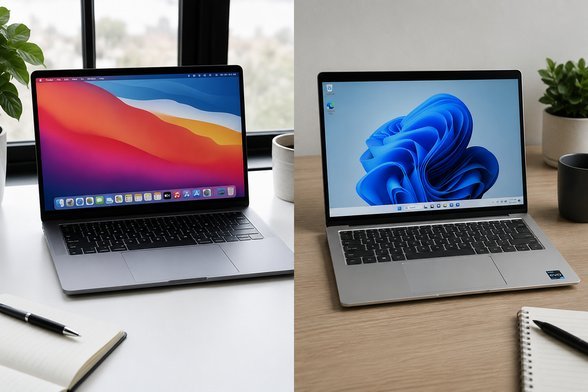
MacBook vs Windows Laptop for Work: An Honest Comparison
MacBook vs Windows Laptop for Work: An Honest Comparison
Is it better to buy a MacBook or a Windows laptop for work? After using both daily for years, my answer is: it depends on your job, your employer’s IT setup, and how much you value battery life over software compatibility. There’s no universal winner — but there is a right answer for you, and it’s clearer than the internet’s tribal wars suggest.
Before we get into the detail, a quick reality check: the “best” answer depends on your circumstances more than any ranking ever will. A student in shared housing needs something very different from a family of five or a freelancer working from a spare room. Keep your own situation in mind as you read, and you’ll land on the right choice. If that’s on your mind too, have a look at our guide to how much does a laptop cost for a university student in the uk — it pairs naturally with everything below.
Is it better to buy a MacBook or a Windows laptop for work?
MacBooks win on the fundamentals of daily work life: the M-series chips deliver 15-20 hours of real battery life, they’re silent (no fans screaming on Zoom calls), and they hold their resale value better than any Windows machine. For writers, developers, designers and anyone who lives in a browser and Slack, the MacBook Air (£999 education pricing aside, often £899-£1,099 on sale) is the best work laptop most people can buy.
Windows laptops win on compatibility and choice. If your company runs on specific enterprise software, VPN clients or Excel macros built for Windows, a Mac means workarounds and headaches. Windows also gives you everything from £400 workhorses to £2,500 mobile workstations — choice Apple simply doesn’t offer.
Here’s where it gets genuinely useful. The theory is fine, but decisions happen in the detail below. Worth a read alongside this: our guide to how do I back up my photos without paying for icloud.
The deciding factors, honestly ranked
If you only read one list today, make it this one:
- Your employer’s IT: if work issues the laptop, you get what you’re given. If you choose, check what IT supports — a Mac in a Windows-only company means you’re on your own when things break.
- Software you need: creative and dev tools favour Mac; enterprise, engineering and finance software favours Windows. List your must-have apps before deciding.
- Battery life: MacBook Air: 15-18 hours real use. Windows ultrabooks: 8-12 hours. If you work away from plugs, this alone decides it.
- Budget: decent Windows work laptops start at £500-£600; MacBooks start at £999. That’s a real £400+ gap.
- Resale: a 3-year-old MacBook keeps ~50% of its value; a Windows laptop keeps ~30%. Factor total cost of ownership, not just purchase price.
A quick word from experience: don’t decide on price alone. The cheapest option has a habit of costing more in hassle, and I’ve learned that lesson the expensive way more than once.
The hybrid reality most people live in
Here’s what actually happens in 2026: most knowledge workers live in Chrome, Office 365, Slack and Zoom — all identical on both platforms. The OS matters far less than it did a decade ago because work moved to the browser. Unless you have specific software needs, you’re choosing between excellent battery life (Mac) and better value (Windows).
I’ve watched colleagues agonise for weeks over this choice, then spend 95% of their time in the same five web apps. Don’t be them. List your software, check your IT policy, pick in an afternoon.
My recommendation by job type
Writers, marketers, developers, designers: MacBook Air. The battery life and silence genuinely change how you work — you’ll stop thinking about chargers entirely. Windows alternatives only if your stack demands it.
Finance, consulting, corporate roles with locked-down IT: Windows, specifically a ThinkPad or Dell XPS/Latitude. You’ll match the company standard, everything just works, and IT can actually help you.
Freelancers on a budget: a £600 Windows ultrabook does 90% of what a MacBook does. Spend the saved £400 on a good monitor — it’ll improve your work life more than the logo on the lid.
Quick answers
What’s the biggest mistake people make with MacBook vs Windows?
Rushing in without comparing options. Most people grab the first MacBook vs Windows deal they see — usually an advert or a mate’s recommendation — and never check whether it actually fits their situation. Spend an hour comparing two or three alternatives, read the small print on the cheapest one, and you’ll dodge the regret that lands three months later when the bills arrive or the limitations start to bite.
How long does sorting out MacBook vs Windows usually take?
Less time than you’re probably imagining. The research takes an evening, the decision takes a day of mulling over, and the actual doing is usually under two hours. What stretches it into weeks is dithering — half-decided, tab-hoarding limbo. Pick a deadline, gather the facts from this guide, make the call, and move on. Done beats perfect here, every single time.
Is the cheapest MacBook vs Windows option ever the right choice?
Sometimes — but rarely for the reasons people think. The cheapest MacBook vs Windows option works fine when your needs are simple and the product is basically a commodity. It falls apart when reliability, support or longevity matter. Ask yourself one question: what’s the cost if this goes wrong? If the answer is ‘a bad afternoon’, go cheap and cheerful. If it’s ‘hundreds of pounds or weeks of hassle’, pay the middle price and sleep well.
Pro tip: when you’re comparing MacBook vs Windows options, ignore the headline claims and read the worst-case reviews instead. How a company handles problems tells you far more than any advert — and it’s the problems you’ll remember, not the smooth months.
The bottom line
Software compatibility and IT policy decide this more than specs. Mac for battery life and creative/dev work, Windows for enterprise compatibility and value — and if you live in a browser all day, stop overthinking and pick whichever is cheaper.
At the end of the day, the right choice is the one that fits your life and your budget — not the one with the flashiest advert. You’ve now got the facts; trust your judgement. And do me a favour — once you’ve decided, tell a friend. Half the country is overpaying for MacBook vs Windows simply because nobody talks about it. For the official word, see Apple MacBook Air UK. Which? best laptops for work is also worth a look for independent comparisons. And if you’re still weighing things up, our guide to what is the cheapest way to get unlimited data in the uk covers the next question most people ask.