
How to Transfer Data to a New Phone Without Losing Anything
How to Transfer Data to a New Phone Without Losing Anything
How do I transfer data from an old phone to a new one? It feels stressful, but it’s genuinely one of the smoothest things in modern tech — when you do it in the right order. Photos, WhatsApp chats, apps, passwords: all of it can move across in under an hour. The people who lose things are the ones who wipe the old phone too early.
I’ve spent enough time comparing phone data transfers across the UK to know the headline figures rarely tell the full story. Prices shift between providers, the small print hides the real cost, and what works brilliantly for a mate in Manchester might be a poor fit for a flat in London. So let’s cut through the noise and look at what actually matters. If that’s on your mind too, have a look at our guide to what is the best budget smartphone under £300 in the uk — it pairs naturally with everything below.
How do I transfer data from an old phone to a new one? Start here
Do it in this sequence and you won’t miss anything important:
- Update everything first: update the old phone’s OS and all apps. Transfers fail most often on outdated software.
- Back up before you begin: iCloud or Google One backup as a safety net. Don’t skip this — it’s your parachute.
- Charge both phones above 50% and connect to stable wifi. A dead phone mid-transfer is how data gets lost.
- Keep the old phone for at least a week after the move. Don’t wipe, sell or trade it in until you’re sure everything arrived.
- Check two-factor logins: banking apps and authenticators often need re-verifying — do these while the old phone still works.
Here’s where it gets genuinely useful. The theory is fine, but decisions happen in the detail below. Worth a read alongside this: our guide to why is my phone battery draining so fast and how do I fix it.
iPhone to iPhone: the easy path
Apple’s Quick Start is genuinely excellent: hold the phones next to each other, scan the animation, and everything — apps, photos, messages, even your Home Screen layout — transfers directly. For a 128GB phone expect 30-60 minutes over wifi.
If Quick Start stalls, restore from an iCloud backup during setup instead. It’s slower but more reliable, and encrypted iTunes/Finder backups on a computer move even your saved passwords and health data, which iCloud sometimes skips.
One thing I’ve noticed over the years: the people who are happiest with their choice are the ones who matched it to how they actually live, not to some idealised version of their habits. Be honest with yourself here and you’ll choose better.
Android to Android, and switching sides
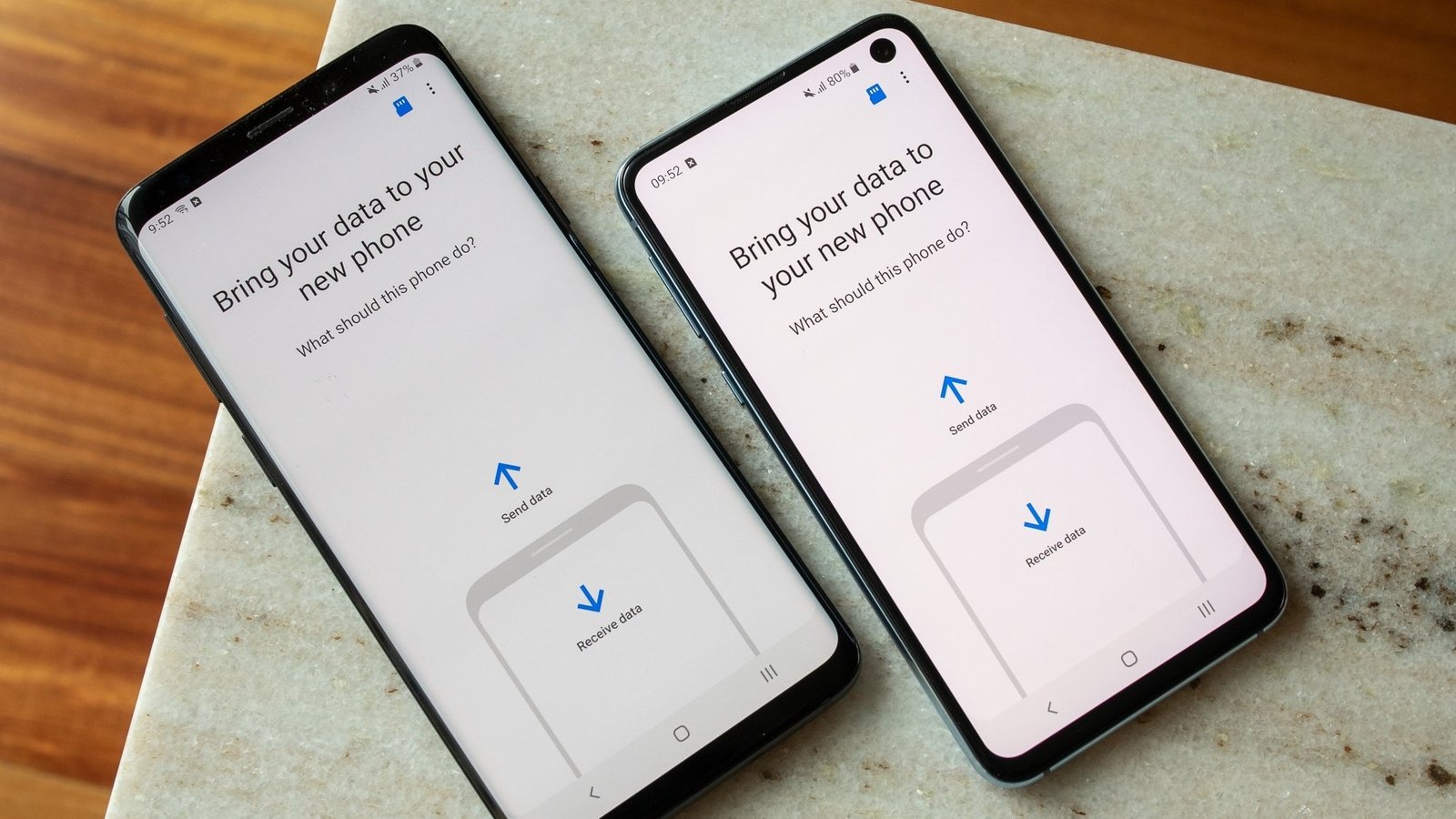
Android’s built-in transfer (via Google One backup or a cable during setup) moves apps, photos, contacts and messages well. Samsung’s Smart Switch is even better if you’re moving to a Galaxy — it handles WhatsApp and device settings the generic tool misses.
Switching iPhone to Android (or back) is where people trip up. Use Apple’s ‘Move to iOS’ app for Android-to-iPhone, or Google’s switch tool for the reverse. WhatsApp chats now transfer officially between platforms — do this BEFORE setting up WhatsApp fresh on the new phone, or the old chats won’t come across. Photos move via Google Photos regardless of platform, which is the simplest cross-platform bridge.
What always gets left behind (and how to grab it)
Here’s the short version, so you can scan it fast:
- WhatsApp: back up to iCloud/Google Drive first, then restore on the new phone — in that order.
- Authenticator apps: export or transfer within the app (Google Authenticator has a transfer feature); SMS codes won’t save you if you’ve changed numbers.
- Downloaded music/podcasts: Spotify and podcast apps need re-downloading — check your offline playlists.
- Banking apps: most require fresh verification; keep the old phone handy for the codes.
- Photos in odd places: check Snapchat memories, Telegram, and any app with its own camera roll before wiping.
Quick answers
Can I handle phone data transfers myself, or do I need professional help?
It depends on complexity and stakes. Straightforward phone data transfers tasks are well within DIY territory with a decent guide — most people manage fine and save a packet. But when money, legal compliance or safety are involved, professional help pays for itself quickly. My rule of thumb: DIY when the worst case is a wasted afternoon; call in a pro when the worst case is wasted money or a legal headache.
What’s the biggest mistake people make with phone data transfers?
Rushing in without comparing options. Most people grab the first phone data transfers deal they see — usually an advert or a mate’s recommendation — and never check whether it actually fits their situation. Spend an hour comparing two or three alternatives, read the small print on the cheapest one, and you’ll dodge the regret that lands three months later when the bills arrive or the limitations start to bite.
How much should I realistically budget for phone data transfers?
More than the headline price, less than the premium option. A sensible budget for phone data transfers sits in the middle of the market — enough to avoid the cut corners of the cheapest tier, without paying for features you’ll never touch. Add 15-20% contingency for the extras nobody mentions upfront, and you’ll land about right. The people who blow the budget are the ones who budgeted for the advert price instead of the real one.
Pro tip: when you’re comparing phone data transfers options, ignore the headline claims and read the worst-case reviews instead. How a company handles problems tells you far more than any advert — and it’s the problems you’ll remember, not the smooth months.
My honest take
Back up first, transfer with the phones side by side, verify everything (especially WhatsApp and banking apps), and keep the old phone a week before wiping. Follow that order and the move is boring — which is exactly what you want.
That’s the full picture as it stands. Markets move and deals change, but the principles above hold — match the choice to your real needs, read the small print, and don’t pay for things you won’t use. And do me a favour — once you’ve decided, tell a friend. Half the country is overpaying for phone data transfers simply because nobody talks about it. For the official word, see Apple: transfer data to a new iPhone. Google: switch to Android is also worth a look for independent comparisons. And if you’re still weighing things up, our guide to how much does it cost to repair a cracked phone screen in the uk covers the next question most people ask.
One thought on “How to Transfer Data to a New Phone Without Losing Anything”