
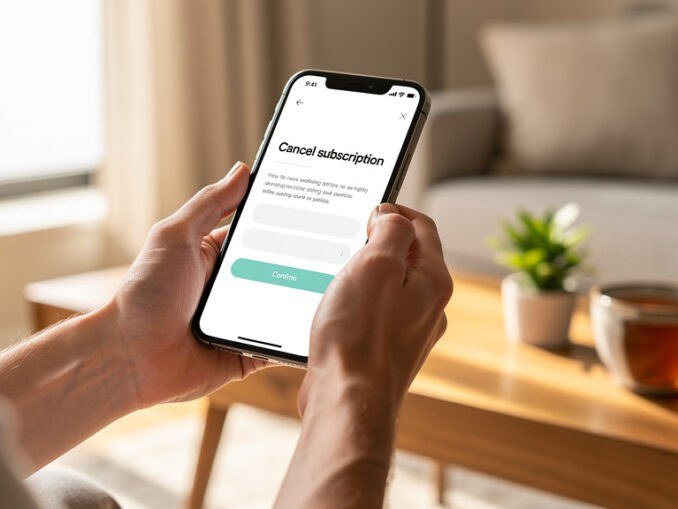
How to Cancel Unwanted Subscriptions Easily
How to Cancel Unwanted Subscriptions Easily
The average UK household now pays for a small bouquet of subscriptions — streaming, music, apps, gyms, boxes, memberships — and uses about half of them. I did the audit last year and found £47 a month leaking out to things I’d forgotten: a meditation app from a stressful January, a “free trial” that wasn’t, a gym I hadn’t visited since autumn. Cancelling them took one focused evening and felt like giving myself a pay rise. Here’s the system. This guide shows you how to find and cancel unwanted subscriptions easily — the audit, the cancellation scripts, and how to stop them creeping back.
Step 1: Find Them All (The Audit)
You can’t cancel what you can’t see. Hunt them down:
- Bank statements, 3 months back. Go through every direct debit and recurring card payment. Highlight anything you don’t immediately recognise as essential.
- App store subscriptions. iPhone: Settings → Apple ID → Subscriptions. Android: Play Store → Payments & subscriptions. These are the sneakiest — they don’t show on bank statements as clearly.
- PayPal recurring payments. PayPal → Settings → Payments → Manage automatic payments. Old trials lurk here.
- Email search. Search for “receipt”, “subscription”, “renewal”, “trial” — you’ll find confirmations for things you’d forgotten.
- Ask your bank. Most UK banking apps now have a “subscriptions” or “recurring payments” view that lists them neatly.
Step 2: The Keep-or-Kill Test
For each subscription, ask three questions:
- Have I used it in the last 30 days? No → cancel. (Gym exception below.)
- Would I sign up for it today at full price? No → cancel. “But it was only £3.99” is how £47/month happens.
- Is there a free alternative? Often yes — see below.
Special cases: gym memberships — if you haven’t gone in 2 months, cancel and pay-per-visit until the habit exists. Annual subscriptions — diary the renewal date now; cancel-or-keep decisions made at renewal, not mid-year. “Pause” options — many services (Netflix, gyms) let you pause instead of cancelling; useful for seasonal use.
Step 3: Cancel Unwanted Subscriptions Easily
Companies make cancelling deliberately harder than signing up. Tactics:
- Use the website, not the app. Cancellation options are often hidden in apps but present on desktop sites.
- Search “[service] cancel subscription” — the top results usually link straight to the cancellation page, bypassing the maze.
- For phone-only cancellations (gyms are notorious), call at off-peak times, be polite but firm: “I’d like to cancel, please.” Repeat as needed. You don’t owe them a reason or a retention pitch.
- Know your rights: under UK consumer law you can cancel most subscription contracts within 14 days of signing up; beyond that, check notice periods (usually 30 days). They can’t charge you beyond the notice period.
- After cancelling, check. Watch the next statement to confirm the payments actually stopped. Screenshot the cancellation confirmation.
Step 4: Stop Them Coming Back
- Delete the apps. Out of sight, out of “just one month”.
- Remove saved payment details from services you’ve left.
- Unsubscribe from their marketing emails — every “we miss you, 50% off” email is a relapse trigger.
- Set a 6-monthly audit reminder. Subscriptions creep back. A 20-minute check twice a year keeps them honest.
- Use virtual/disposable cards for free trials (many banks offer them) — trials can’t convert to paid if the card doesn’t exist.
Free Alternatives Worth Knowing
- Spotify Premium → Spotify free (with ads) or BBC Sounds
- Audible → library apps (BorrowBox/Libby — free audiobooks with a library card!)
- Gym → parkrun, YouTube workouts, outdoor gyms in parks
- Paid meditation apps → free tiers or YouTube
- Cloud storage → free tiers spread across providers
And remember our free London weekend guide — the best entertainment in the city doesn’t need a subscription at all.
The Subscription Audit: A Worked Example
Here’s what a typical Londoner’s subscription stack looks like before and after an audit:
Before (£87/month): Netflix £17.99, Spotify £11.99, gym £42, Audible £7.99, meditation app £9.99 (unused), cloud storage £7.99 (unused, free tier would do), Patreon £5 (forgotten), Amazon Prime £8.99, mobile insurance £12 (phone’s 3 years old — pointless).
After (£41/month): Netflix £10.99 (downgraded tier), Spotify free tier, gym £42 (actually going now — the audit prompted honesty), Prime £8.99 (used for delivery). Everything else cancelled.
Saving: £46/month = £552/year. For 90 minutes of admin. I’ve never seen a lower-effort, higher-return financial task. Do it tonight — our rainy Sunday guide even tells you when.
Subscriptions Worth Keeping (The Honest List)
Not all subscriptions are bad. The ones that earn their keep:
- Anything you use weekly — the use test is the only test that matters.
- Gym you’re actually attending (2+ times/week) — health ROI dwarfs the cost.
- Cloud backup with real data — losing photos/documents costs more than £8/month.
- One streaming service in rotation — entertainment has value; just don’t pay for four simultaneously.
- Professional tools that earn money — software that generates income is an investment, not a cost.
The ones to kill on sight: free trials you forgot, apps you haven’t opened in a month, duplicate services (two music apps, three streaming), insurance on old devices, and anything where the “cancel” button is hidden three menus deep (that’s the company telling you it’s not worth keeping).
The Psychology of Subscription Creep
Companies engineer this deliberately: free trials that auto-convert, “annual plans” that front-load commitment, cancellation flows designed by dark-pattern specialists, and win-back emails timed to your weakest moments. Understanding the machinery helps resist it:
- Never start a free trial without a calendar reminder to cancel — set it for day 12 of a 14-day trial.
- Prefer monthly over annual unless the discount exceeds 20% and you’re certain — annual plans are commitment devices that benefit them.
- Use virtual cards for trials (Monzo, Revolut and others offer them) — the trial can’t charge a card that doesn’t exist.
- Unsubscribe from marketing immediately after cancelling — every “come back” email is engineered temptation.
- The 30-day rule for new subscriptions: want to sign up? Wait 30 days. Still want it? It’s probably worth it. Most urges die within a week.
Redirect the savings somewhere visible — our emergency fund guide gives it a home, and savings targets show what it compounds into. Watching £46/month become £552/year become a proper safety net is the best motivation to keep auditing.
Your Cancellation Rights: The Law
Knowing your legal position makes cancelling easier — companies rely on you not knowing:
- 14-day cooling off: for most subscriptions bought online or by phone, you can cancel within 14 days for a full refund — no reason needed. This covers gym contracts, streaming, and most digital services.
- After 14 days: you’re bound by the contract terms, but unfair terms can be challenged. A gym requiring 3 months’ notice to cancel a monthly contract, for example, may be an unfair term under consumer law.
- Price rises: if a provider raises prices mid-contract, you can usually exit penalty-free within 30 days of notification — check the terms.
- Continuous payment authorities: you can cancel these directly with your bank (not just the company) — tell the bank in writing and they must stop payments. The company may still chase the “debt”, but the money stops leaving your account.
- Help: Citizens Advice has template letters and detailed guidance for subscription disputes — free, and effective when companies play hardball.
The pattern: the law is more on your side than the cancellation maze suggests. “I’d like to cancel” + knowledge of the 14-day rule + willingness to escalate resolves almost everything.
The Practical Takeaway
Cancelling unwanted subscriptions is a 4-step evening job: audit (bank statements + app stores + PayPal), keep-or-kill test (used in 30 days?), cancel properly (website not app, screenshot confirmation), and prevent recurrence (delete apps, 6-monthly audits). Most people find £20–£50/month — that’s £240–£600 a year for one evening’s work, the best hourly rate you’ll ever earn. Redirect it straight to savings — our journaling guide suggests writing down what you’ll do with it, and emergency fund guide gives it a home.