
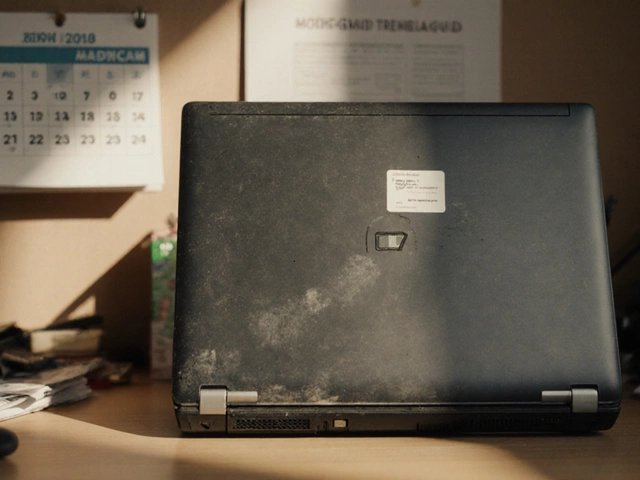
How Long Should a Laptop Last? When to Replace It
How Long Should a Laptop Last? When to Replace It
How long should a laptop last before replacing it? A decent laptop bought today should serve you well for 4-6 years, with business-grade machines (ThinkPads, MacBooks) often pushing 7-8. But ‘last’ and ‘worth keeping’ are different things — here’s how to tell which side of the line yours is on.
It’s one of those questions that sounds simple until you start digging. Ask three people and you’ll get four different answers — usually because everyone’s situation is slightly different. I’ve pulled together the practical detail below so you can make a decision without spending your whole weekend on comparison sites. If that’s on your mind too, have a look at our guide to what is the difference between fibre and full fibre broadband — it pairs naturally with everything below.
How long should a laptop last before replacing it?
The hardware reality: processors from the last 5-6 years are still perfectly capable for everyday work — a 2019 Intel i5 or Apple M1 handles browsing, Office and video calls fine in 2026. What kills laptops isn’t usually the CPU, it’s the battery (2-4 year life), the storage filling up, and software support ending.
Apple supports Macs with macOS updates for roughly 7-8 years; Windows laptops get Windows updates as long as the hardware qualifies (Windows 11 requires TPM 2.0, which cut off pre-2017 machines). Once security updates stop, the laptop becomes genuinely unsafe for banking and email — that’s the real retirement date, whatever the hardware condition.
Right — with the basics covered, let’s get into the detail that actually affects your wallet. Worth a read alongside this: our guide to is it safe to buy second-hand tech from facebook marketplace.
Signs it’s time to replace
Boiled down to what matters:
- No more security updates: the hard deadline — an unpatched laptop shouldn’t touch the internet.
- Everything is slow despite a clean install: if a fresh OS and an SSD still crawl, the hardware’s done.
- Repair costs exceed 40% of a replacement: the standard threshold — don’t put £300 into a £400-value machine.
- Battery plus other failures: one issue is a repair; battery + keyboard + hinges is a retirement.
- It can’t run software you need: course requirements, work tools, or OS minimums you’ve outgrown.
If there’s one mistake I see repeated, it’s rushing this decision on a lunch break and regretting it for eighteen months. Take the extra ten minutes — this section repays it.
Signs it just needs some love
Most ‘slow’ laptops aren’t dying — they’re clogged. A fresh Windows install, an SSD upgrade (£30-£50 transforms old machines with spinning hard drives), a RAM bump to 16GB, and a new battery (£40-£90) can give a 4-year-old laptop two more good years for under £150 total. I’ve resurrected countless ‘dead’ laptops this way.
Overheating is the other fixable killer: dust-clogged fans make laptops throttle themselves into slowness. A £10 can of compressed air through the vents (or a professional clean for £30) often restores original performance. If your laptop sounds like a hairdryer doing nothing, clean it before replacing it.
Making your next laptop last longer
Walk through these in order and you’ll be sorted:
- Buy 16GB RAM and 512GB SSD minimum — these are what age first, and you can’t upgrade them on many modern laptops.
- Choose business-grade lines (ThinkPad, Latitude, MacBook) — they’re built to be serviced and last.
- Use a charge limit (80%) if you mostly work plugged in — batteries are the first thing to die.
- Keep it clean and cool — heat is the silent lifespan killer.
- Reinstall the OS fresh every 2-3 years — it clears the cruft that accumulates.
Quick answers
Is the cheapest laptop lifespan option ever the right choice?
Sometimes — but rarely for the reasons people think. The cheapest laptop lifespan option works fine when your needs are simple and the product is basically a commodity. It falls apart when reliability, support or longevity matter. Ask yourself one question: what’s the cost if this goes wrong? If the answer is ‘a bad afternoon’, go cheap and cheerful. If it’s ‘hundreds of pounds or weeks of hassle’, pay the middle price and sleep well.
What should I do first if I’m completely new to laptop lifespan?
Start with the free, reversible steps: research, compare, and get your facts straight before spending a penny or signing anything. Make a shortlist of two or three options, check recent reviews — and read the one-star ones, not just the average — and talk to someone who’s done it before you. Ten minutes of asking around beats ten hours of guessing, and it costs nothing.
How long does sorting out laptop lifespan usually take?
Less time than you’re probably imagining. The research takes an evening, the decision takes a day of mulling over, and the actual doing is usually under two hours. What stretches it into weeks is dithering — half-decided, tab-hoarding limbo. Pick a deadline, gather the facts from this guide, make the call, and move on. Done beats perfect here, every single time.
Pro tip: whatever you decide about laptop lifespan, set a calendar reminder to review it in a year’s time. Prices, products and your own needs all shift — the people who get the best value long-term are the ones who revisit decisions, not the ones who choose perfectly on day one.
So, what’s the verdict?
4-6 years for most laptops, 7-8 for premium ones, with security updates as the real deadline. Try the £150 refresh (SSD, RAM, battery, clean install) before buying new — it works more often than the laptop industry wants you to believe.
Nobody else is going to sort this for you, and honestly it doesn’t take long once you know what you’re looking at. Pick the option that fits, set a reminder to review it in a year, and get on with your life. And do me a favour — once you’ve decided, tell a friend. Half the country is overpaying for laptop lifespan simply because nobody talks about it. For the official word, see Which? how long should a laptop last. iFixit laptop repairability guides is also worth a look for independent comparisons. And if you’re still weighing things up, our guide to how do I stop spam calls on my mobile in the uk covers the next question most people ask.
One thought on “How Long Should a Laptop Last? When to Replace It”